nanoStream Real-Time API
The nanoStream Real-Time API gives you control over your live streams while they're live. You don't configure recording or camera switching ahead of time; you trigger them on demand, from your own application, with simple REST calls.
The API supports two features:
- On-Demand Recording: start and stop recording a live stream at any time. Each recording session produces its own file.
- Multi-Camera Switching: switch between camera angles in real time. Viewers watch one continuous video while you decide which camera is on air.
Both features have a tool in the Builder Hub that runs them on your own streams: Record on demand and Set up multi-camera.
How it works
The Real-Time API sits between your application and nanoStream Cloud. Your application sends REST calls, and the API carries them out on your live streams.
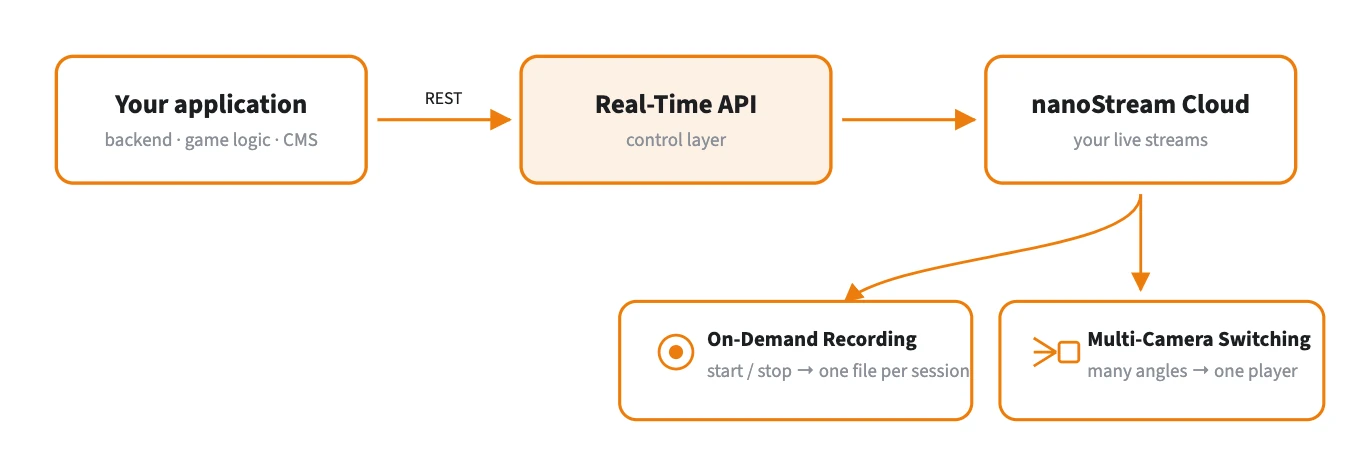
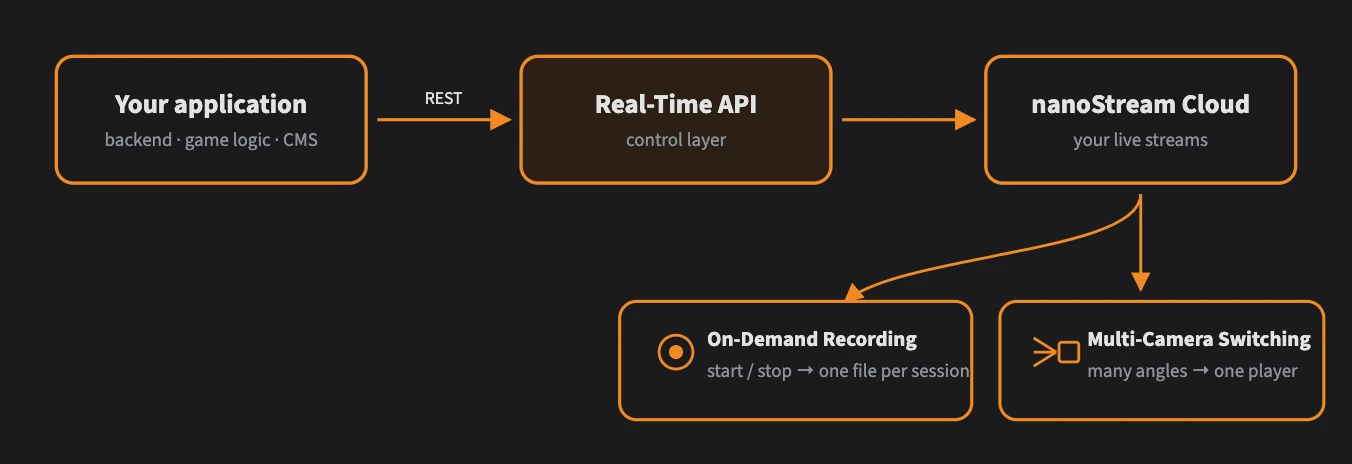
Your application sends REST calls; the Real-Time API applies them to your live streams.
Base URL and authentication
All requests go to:
https://real-time-api.nanostream.cloud
Authenticate with your bintu token, the same token you use with the other nanoStream Cloud APIs. Send it as a Bearer token:
Authorization: Bearer <bintu token>
You can get a bintu token from the nanoStream Cloud Dashboard or the bintu API, or create one from your API key with the Cloud Token Service.
Use cases
- Live casino / iGaming: switch between table, dealer and wheel cameras during a game.
- Sports broadcasting: cut between camera angles in real time.
- Live events: record specific segments of a longer broadcast on demand.
- Compliance: start recording when it's needed and stop when it's done, with no unnecessary storage.
Getting started
- Make sure you have a nanoStream Cloud account with a valid bintu token.
- Set up one or more live streams in the Dashboard or with the bintu API.
- Follow the guide for the feature you need:
API reference
For every endpoint, request and response schema and error code, see the interactive Real-Time API Reference.
The Real-Time API requires a business upgrade. Contact our sales team through the contact form or by email to sales(at)nanocosmos.de.