Live Captions
The Live Captions page provides usage analytics for the Live Captions service. It gives you an overview of transcription session uptime, language distribution, and per-stream usage.
Live Captions must be enabled for your organization before data appears here. To learn how to set up and configure Live Captions, see the Live Captions setup guide.
Uptime Usage
A stacked bar chart showing total transcription session uptime over the selected time range, broken down by ASR (Automatic Speech Recognition) service — Whisper and Deepgram. Each bar represents one time period; each colored segment corresponds to one service. The top-right corner of the widget shows individual totals for Whisper and Deepgram, as well as the combined total across both services.
Uptime is measured from the start to the end of a transcription session. Sessions that are still active are not reflected until they end.
Click any bar segment to open a detailed breakdown for that time period and service.
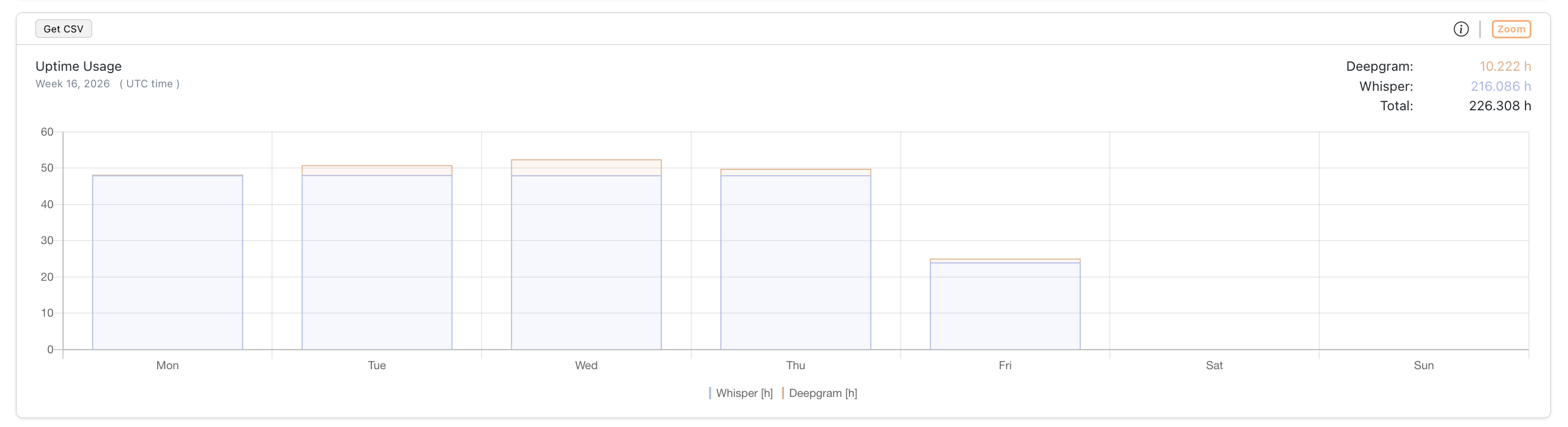
Screenshot: Uptime Usage
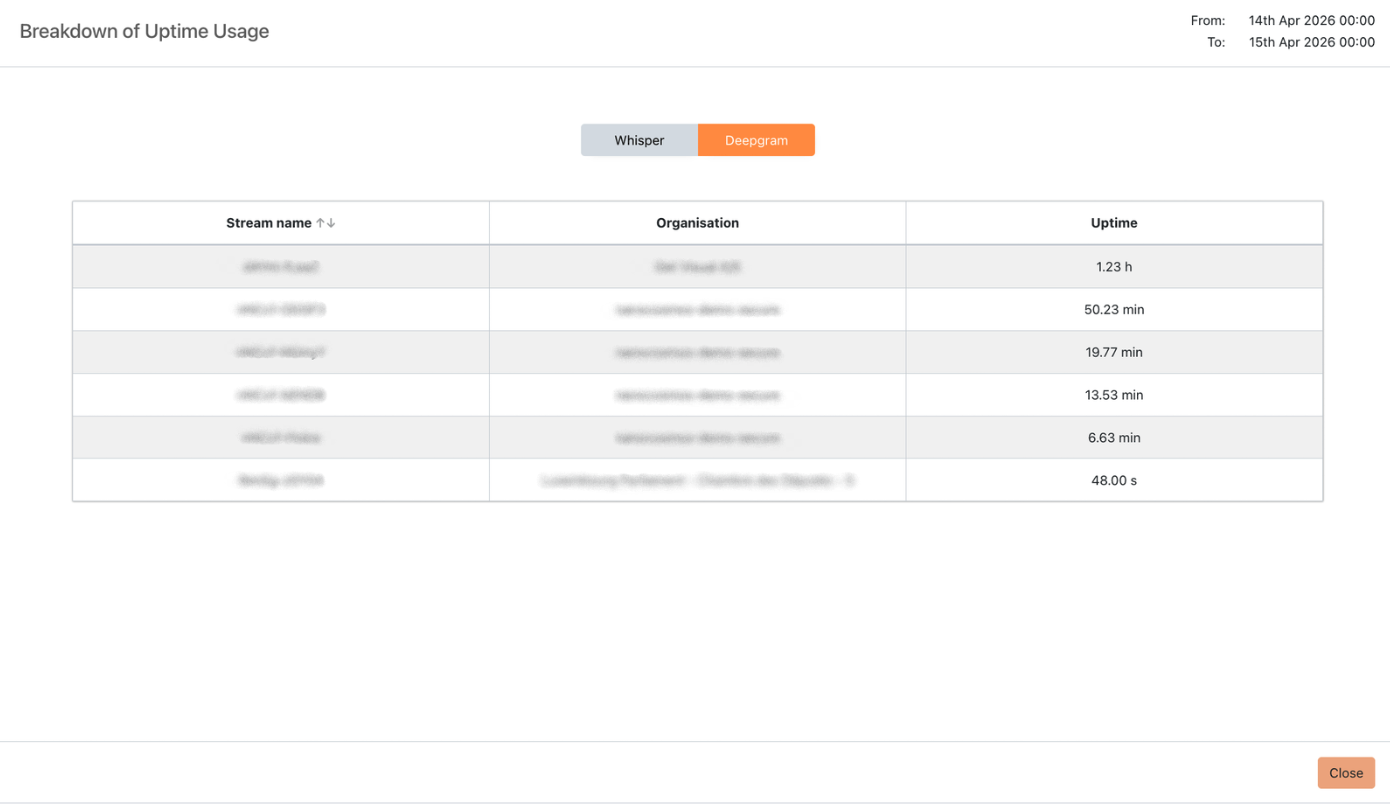
Screenshot: Uptime Usage — zoomed view
Source Language
A pie chart showing the distribution of transcription session uptime by source language — the spoken language being transcribed by the ASR (Automatic Speech Recognition) engine. Each slice displays the percentage share and total uptime (e.g., 2.26 h), sorted by uptime descending.
Click any slice to drill down into a per-stream uptime breakdown for that language.
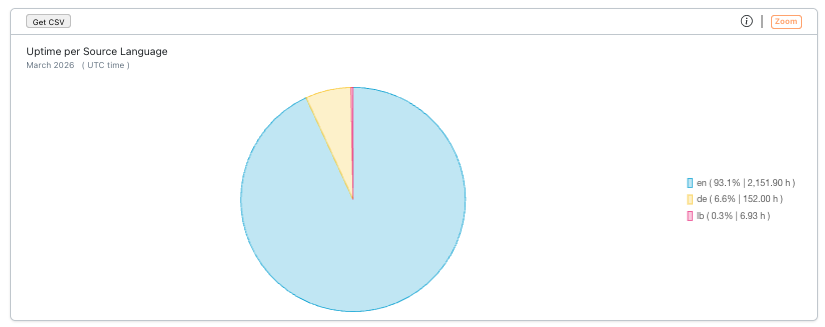
Screenshot: Source Language
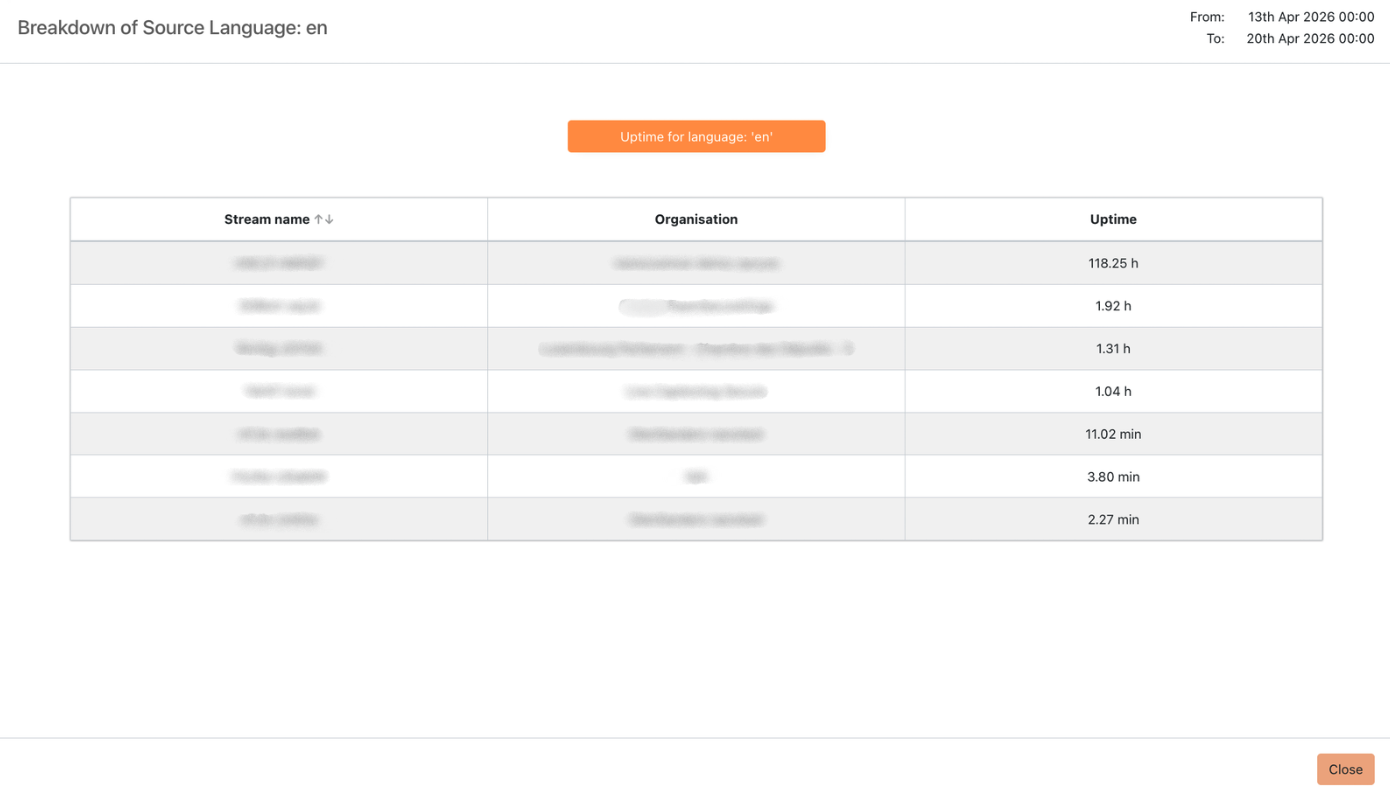
Screenshot: Source Language — zoomed view
Target Language
A pie chart showing the distribution of transcription session uptime by target language — the language into which captions are translated and displayed to viewers (e.g., en, de, fr). Because a single stream can output captions in multiple target languages simultaneously, each language is tracked independently. Sorted by uptime descending.
Click any slice to drill down into a per-stream uptime breakdown for that language.
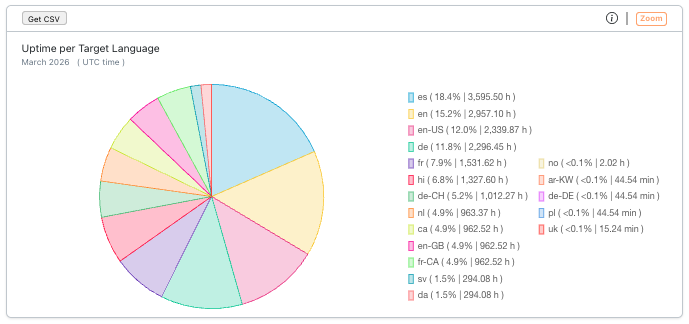
Screenshot: Target Language
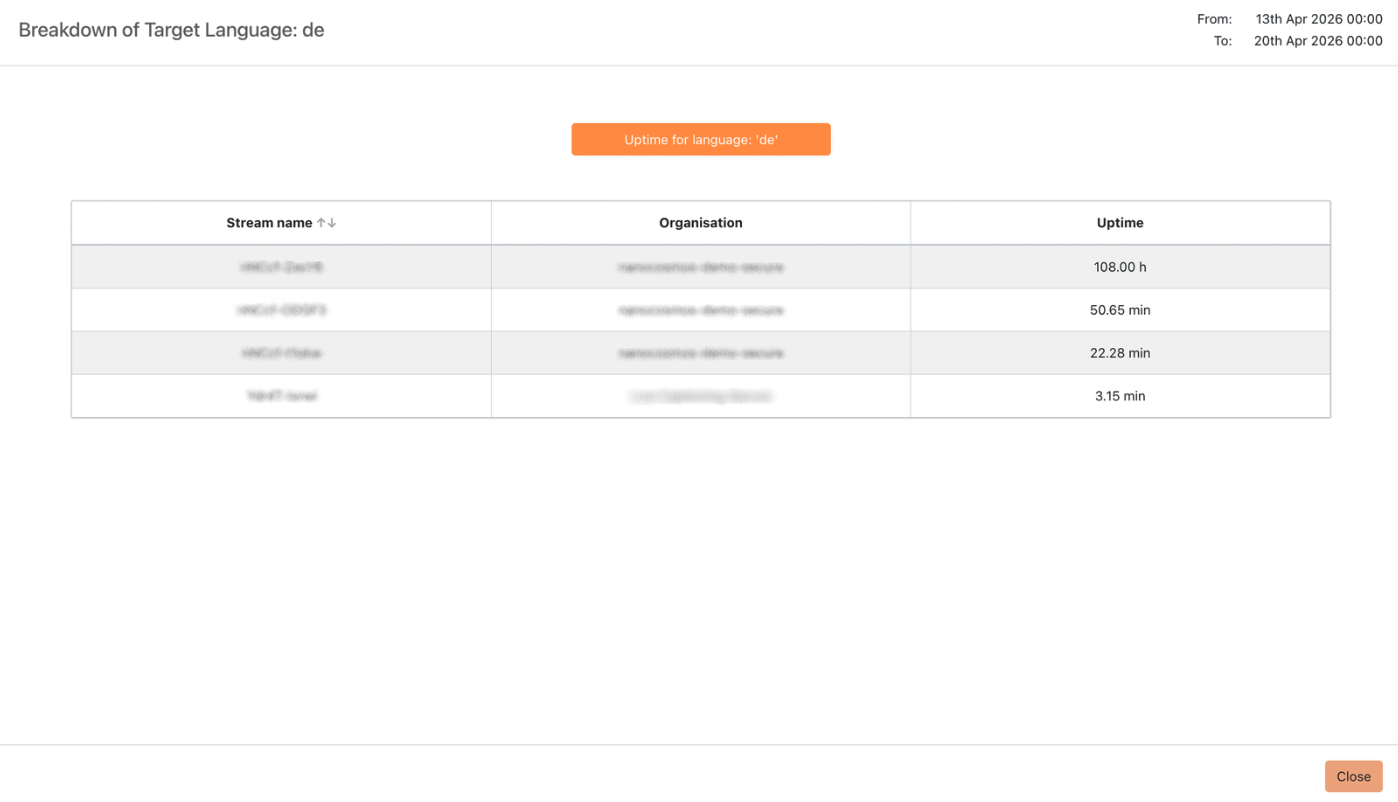
Screenshot: Target Language — zoomed view
Uptime Usage by Stream
A paginated table showing total caption session uptime per stream.
| Column | Description |
|---|---|
| Stream name | The name of the stream |
| Duration (Hours) | Total uptime of live caption sessions for this stream |
You can search by stream name and sort by either column. The footer shows the total number of streams found.
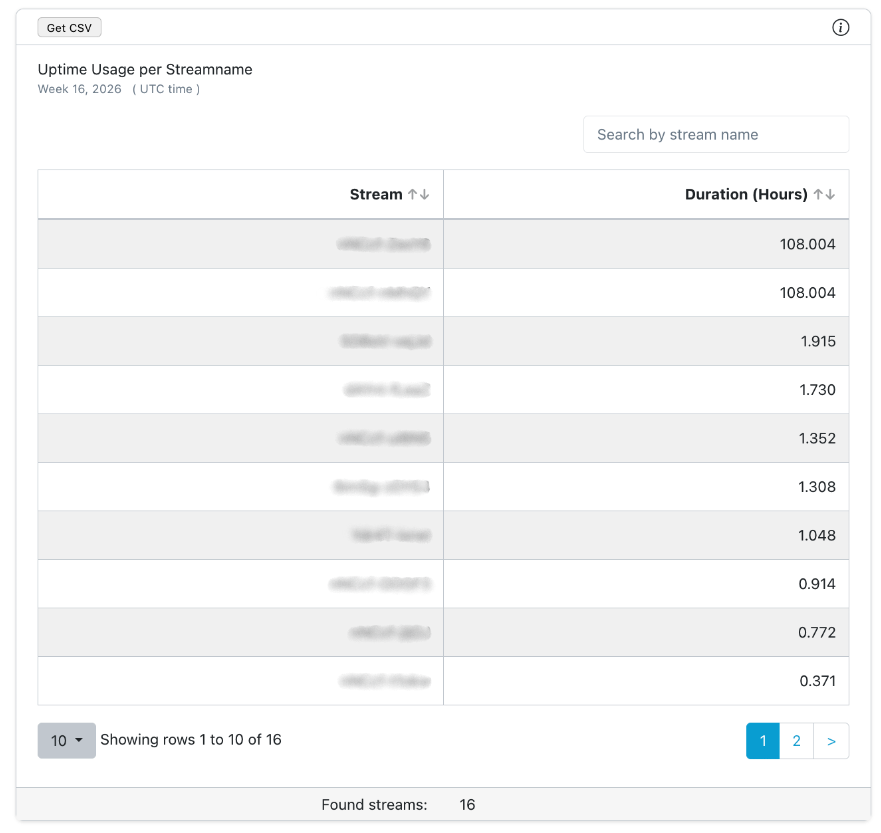
Screenshot: Uptime Usage by Stream