H5Live
Most of the metrics are only available with H5Live metrics enabled. The selected filter options affect all availabe metrics.
Since Dashboard version 2.34.0, the H5Live page no longer includes playbacks via Media over QUIC (MoQ). These playbacks are shown on the MoQ page.
In the Analytics API, the /v2/h5live/* routes exclude MoQ playbacks, and the /v2/moq/* routes report them separately.
 Screenshot: H5Live Charts
H5Live play count per OS
Percentage distribution of playbacks on operating systems (OS).
H5Live play count per browser
Percentage distribution of playbacks in browsers.
H5Live playtime per os
Percentage distribution of playtime on operating systems (OS).
H5Live playtime per browser
Percentage distribution of playtime in browsers.
Reasons for stopping
The number and types of reason why playbacks were stopped or interrupted. The link in the top right will open a new page with a explanation for each stop reason.
Play Buffering Ratio
The ratio between buffer and playback duration over all playouts. Similar to the same category of the world map.
Player Loading Count
The number of player initalisations (clients which attempt to playback a stream) per country.
Average and median of player buffer length in seconds
The buffer length is the decisive factor for the latency. Similar to the "Latency" category of the world map.
Median play start time in seconds
The time it takes until the playback of a stream is started - first frame rendered by the H5Live player.
Status/Error Codes
The number and types of status and error codes which occurred during playbacks. The link in the top right will open a new page with a explanation for each code.
Average and median of played time in seconds
The average and median playback duration of a playback event, shows how long a viewer will watch a stream Similar to the "Playtime average" category of the world map.
Used player versions
Percentage distribution of playbacks based on the used version of the H5Live player.
Zoom on H5Live
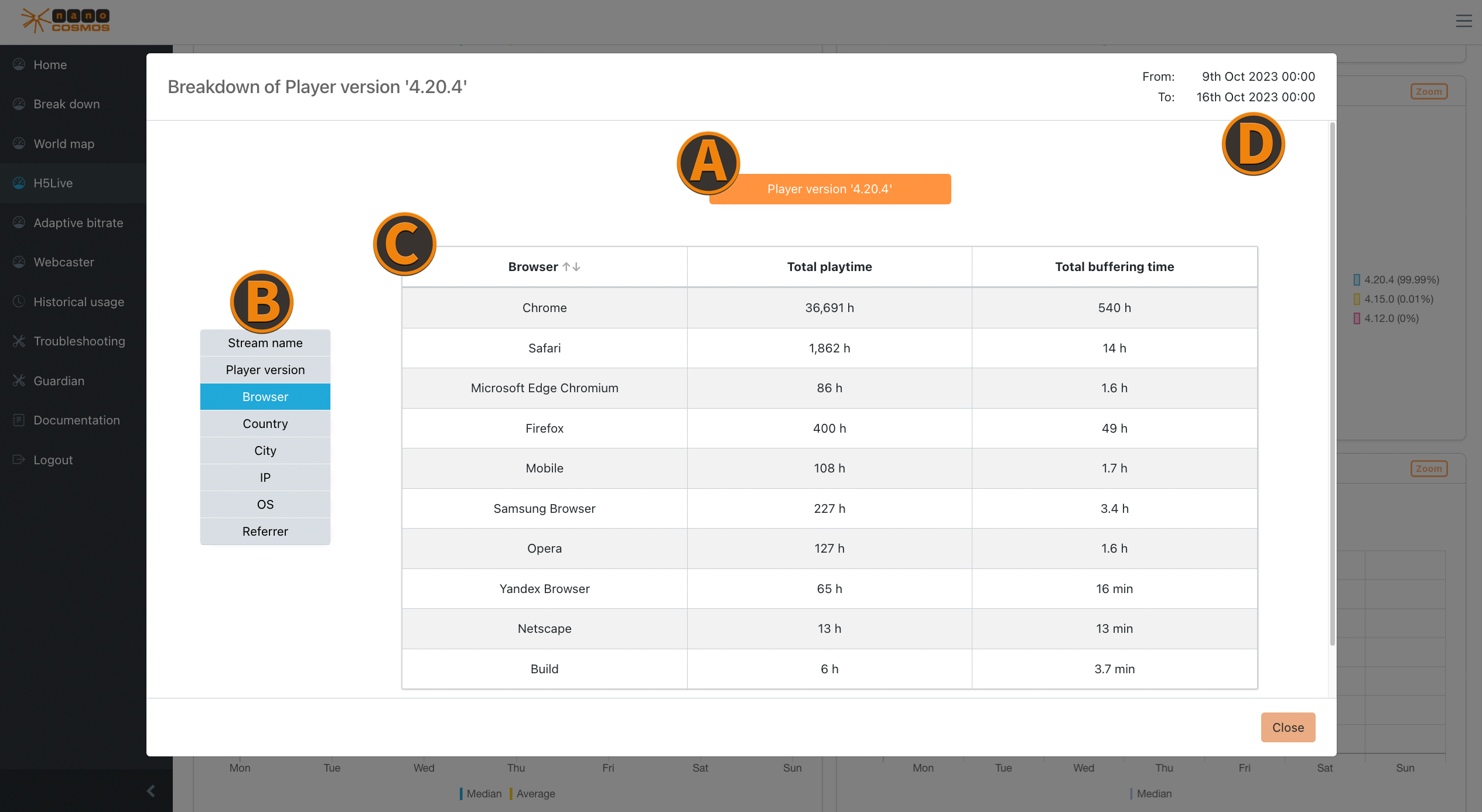 Screenshot: Zoom on H5Live
Playback Count
Shows the playback count per OS or per browser.
Player Versions
You can check detailed information about the use of different H5Live player versions, ranked by the most occuring player events. (e.g. pause, play, stop)
Player Startup Times
Here you can find details about the initial loading times of the player, ranked by the longest average first.
Player Loading Counts
This insight provides information about the frequency of player loading events. Note, that each country is viewed separately.
Status/Error Codes
Check more defined details on occuring status and error codes, ranked by their counts.
Reasons for Stopping
Use this details to see which stopping reasons the players had, ranked by how often they occur
Aggregated Metrics
The following aggregated metrics provide more insight for different use cases regarding your stream quality:
Latency
- average and total latency
Buffering Ratios
- average and total buffering ratios